How to add Click Tracking on a page?
Fibr's WYSIWYG Editor allows you to track all the clickable elements of a page. To setup your Fibr Editor, click here.
Step-by-Step Guide to Add Click Tracking on a Page:
Navigate to the Campaign Details page for the selected campaign.

Click on Add a Metric and select "Add Click Tracking"

In the Fibr editor, select the element you want to track clicks on.
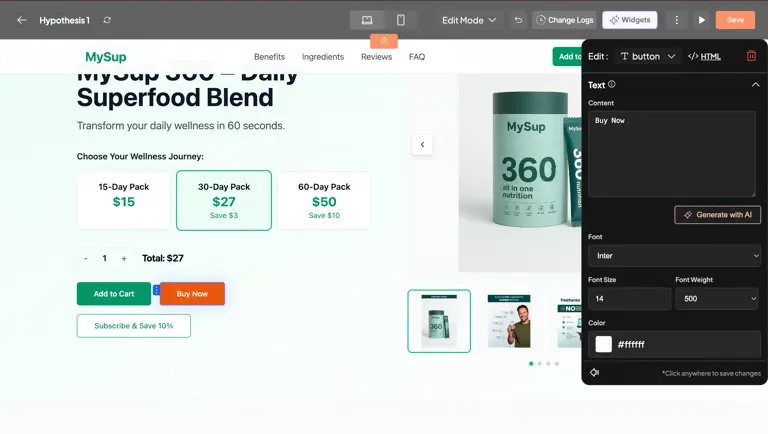
On the right Edit section scroll down and select Track Clicks. You can either "Select an existing metric" or "Create a new metric".

Add the Metric and click anywhere on the editor to save it. Then click the Save button to save the metrics.

Review the metrics for Mobile as well. Once you've reviewed the changes, click on Save.

The metric will now be saved in the success metrics section.
