How to add Page Tracking on a Page?
Track conversions based on the Thank You page, that is, when a user lands on a specific URL after completing an action on the landing page.
Step-by-Step Guide to Add Page Tracking on a Page:
Navigate to the Campaign Details page for the selected campaign.

Click on Add a Metric and select "Add Page Tracking"

Select the "Page Tracking Metric" you want to track.
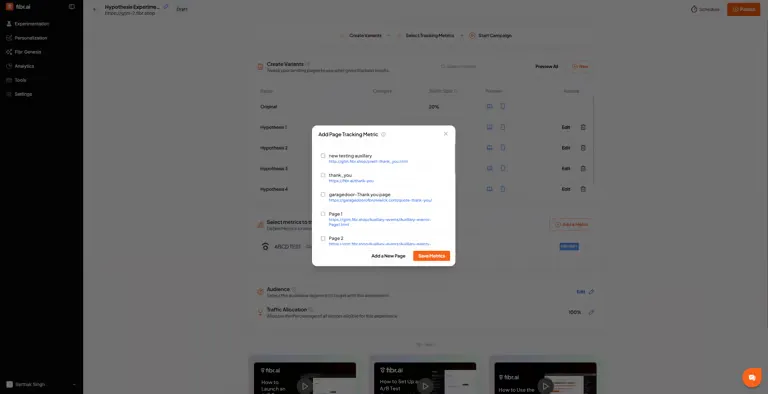
In case you want to add a new page as your "Page Tracking Metric" then click on "Add a New Page"
